Reply with the full context
Messages and customer details share one view. Check what has already been agreed and prepare your reply without gathering information from several places.
Customer communication
Email, WhatsApp and SMS alongside customer details. Choose an available channel and reply with the conversation history within reach.
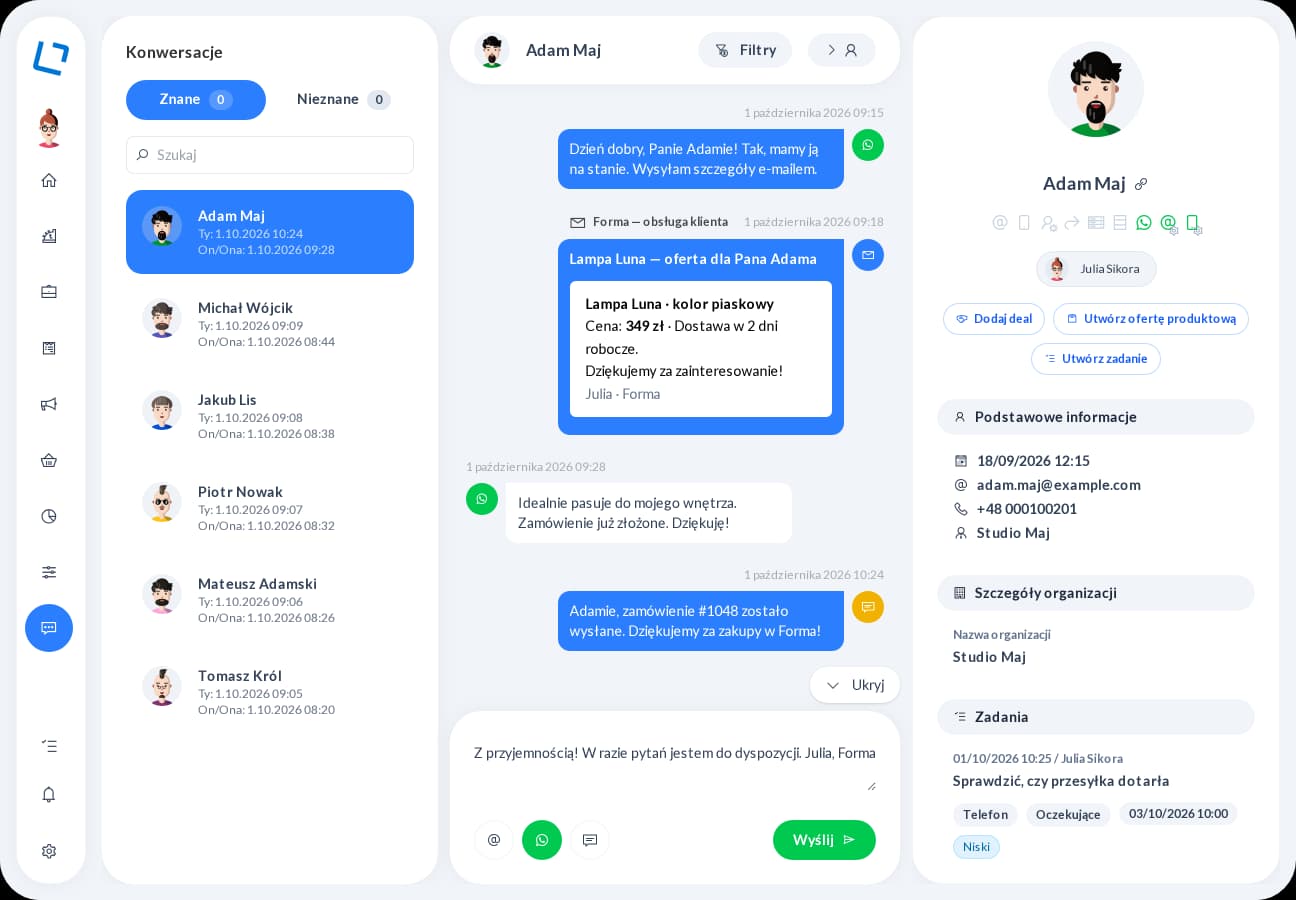
Less switching between tools means more attention for the customer. Earlier messages and contact details help you give a specific answer and preserve the discussion for next time.
Messages and customer details share one view. Check what has already been agreed and prepare your reply without gathering information from several places.
Send an email, SMS or WhatsApp message through a configured connection. For email, choose the sender account you want to use for the conversation.
Start contact and return to its history in the same environment where you manage sales. Your next message has context, and earlier discussions do not need to be reconstructed.
Check previous messages and customer information.
Select email, WhatsApp or SMS based on available contact details and configuration.
Send the message and keep it in the contact history.
Customer communication
Tell us where your customers come from, how you prepare proposals and what happens after you send them. We will demonstrate relevant features in one scenario, from inquiry to the account owner's next action. Together, we will establish the modules, integrations and configuration you need.