Skip to content

From first contact to the next sale.

Explore the features connecting customer data, proposals, communication and your team's daily work. Choose an area and see how it can support your business.

Move from customer details to a proposal, conversation and next action. The account owner can review earlier discussions, send a proposal and plan a follow-up across connected areas of the platform. Explore six features that help your team preserve that context throughout a sale.

Proposals that lead to action

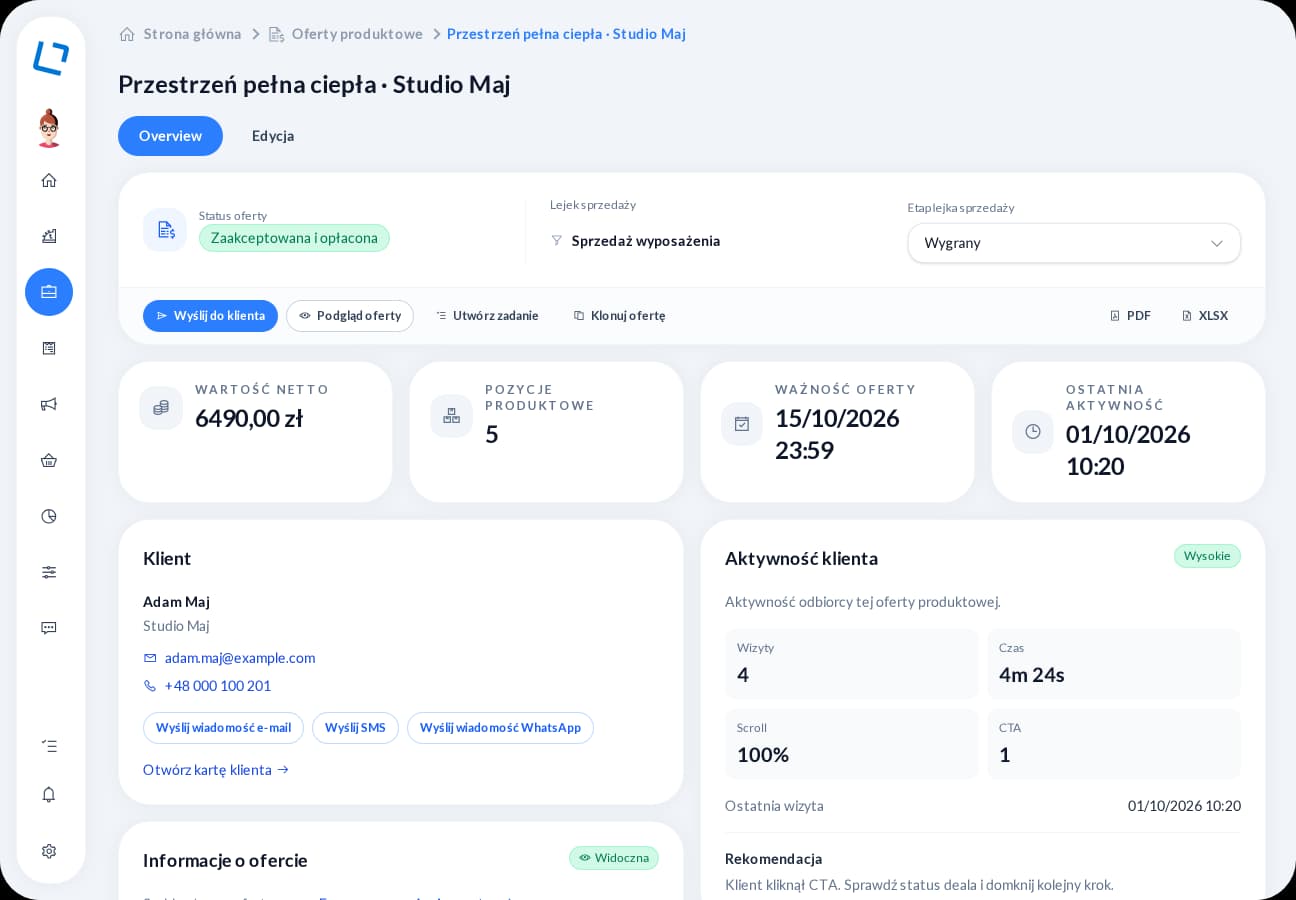
Interactive online proposals

Less time preparing, a shorter path to a response and a clear reason for your next call. From the first link to the customer’s decision, keep the proposal and its history within reach.

Give recipients selected actions: accept, negotiate or request contact. When you return to the proposal, review its status and connected customer to prepare a response that fits the current discussion.

  • Templates and products
  • Acceptance and negotiation
  • Customer activity history
Explore online proposals
oroom.one proposal overview with status, sales stage and customer activity

One reference point for your team

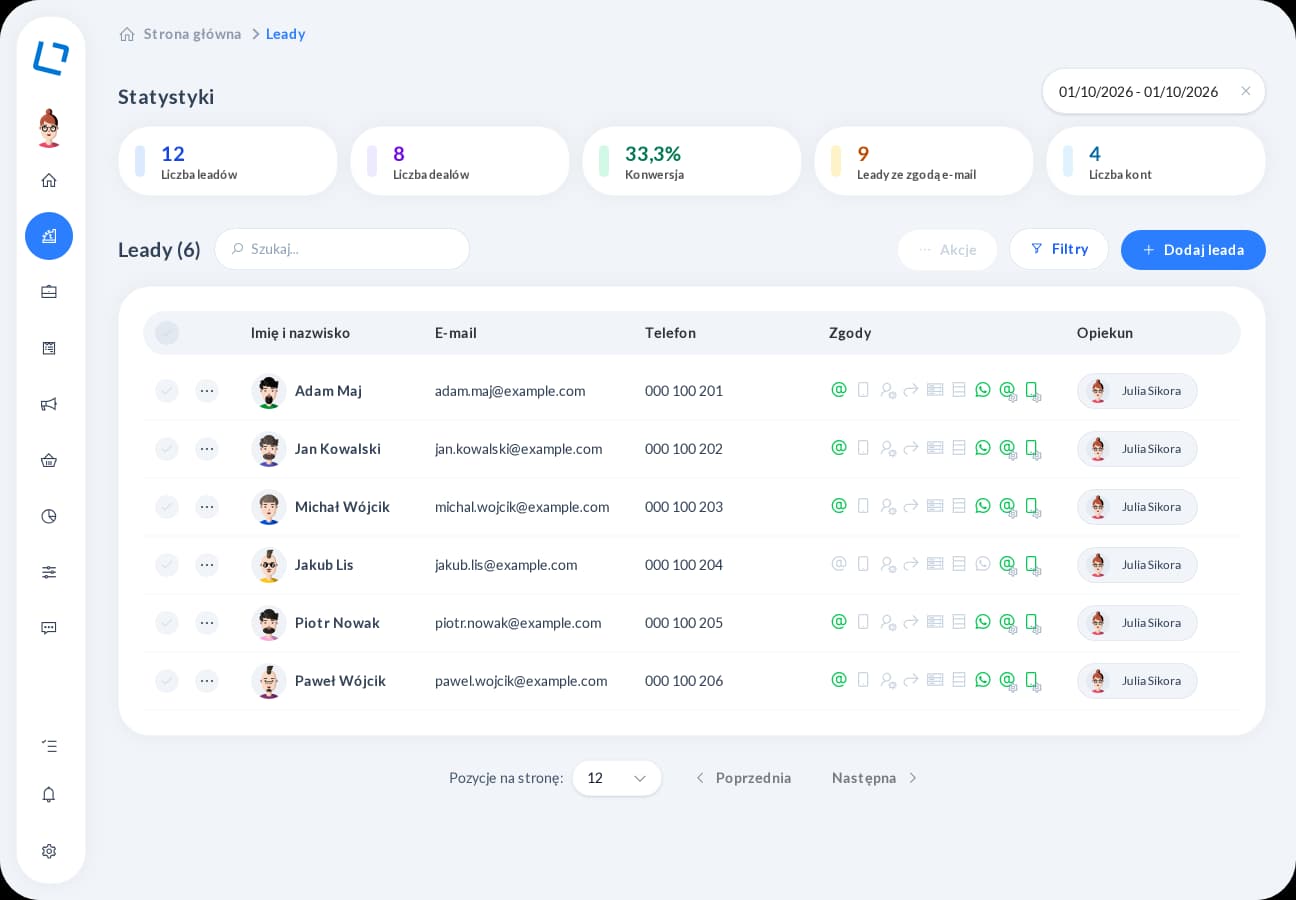
CRM and customer database

Your customer remembers your last conversation - your team can too. Shared history and tasks help keep the case moving, even when another person takes over.

Before calling, review notes, recent conversations and proposals linked to the contact. Add a task with a due date and assignee so agreements lead to action and another teammate can pick up the same case.

  • Contacts and companies
  • Notes and owners
  • Tasks with deadlines
Explore CRM
oroom.one CRM contact list with statistics, filters, consents and account owners

Conversations with shared context

Customer communication

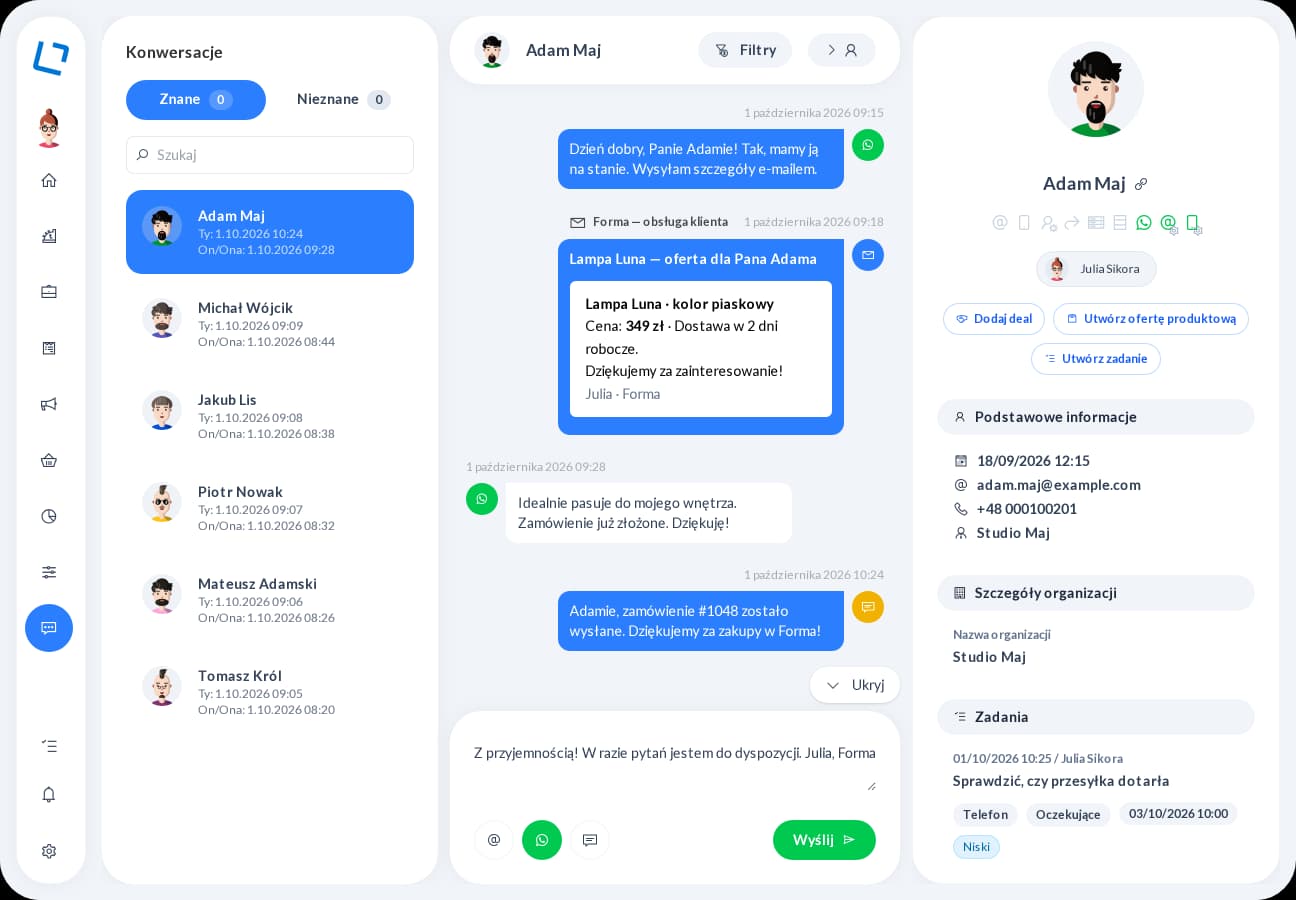
Less switching between tools means more attention for the customer. Earlier messages and contact details help you give a specific answer and preserve the discussion for next time.

Refer to earlier discussions when replying and select a channel available for that contact. The message stays in the conversation history, making it easier to check what has already been shared before your next exchange.

  • Email, WhatsApp, SMS
  • Shared conversation history
  • Customer details alongside
Explore customer communication
oroom.one conversation view with message history and customer information

Repeatable actions under control

Automation

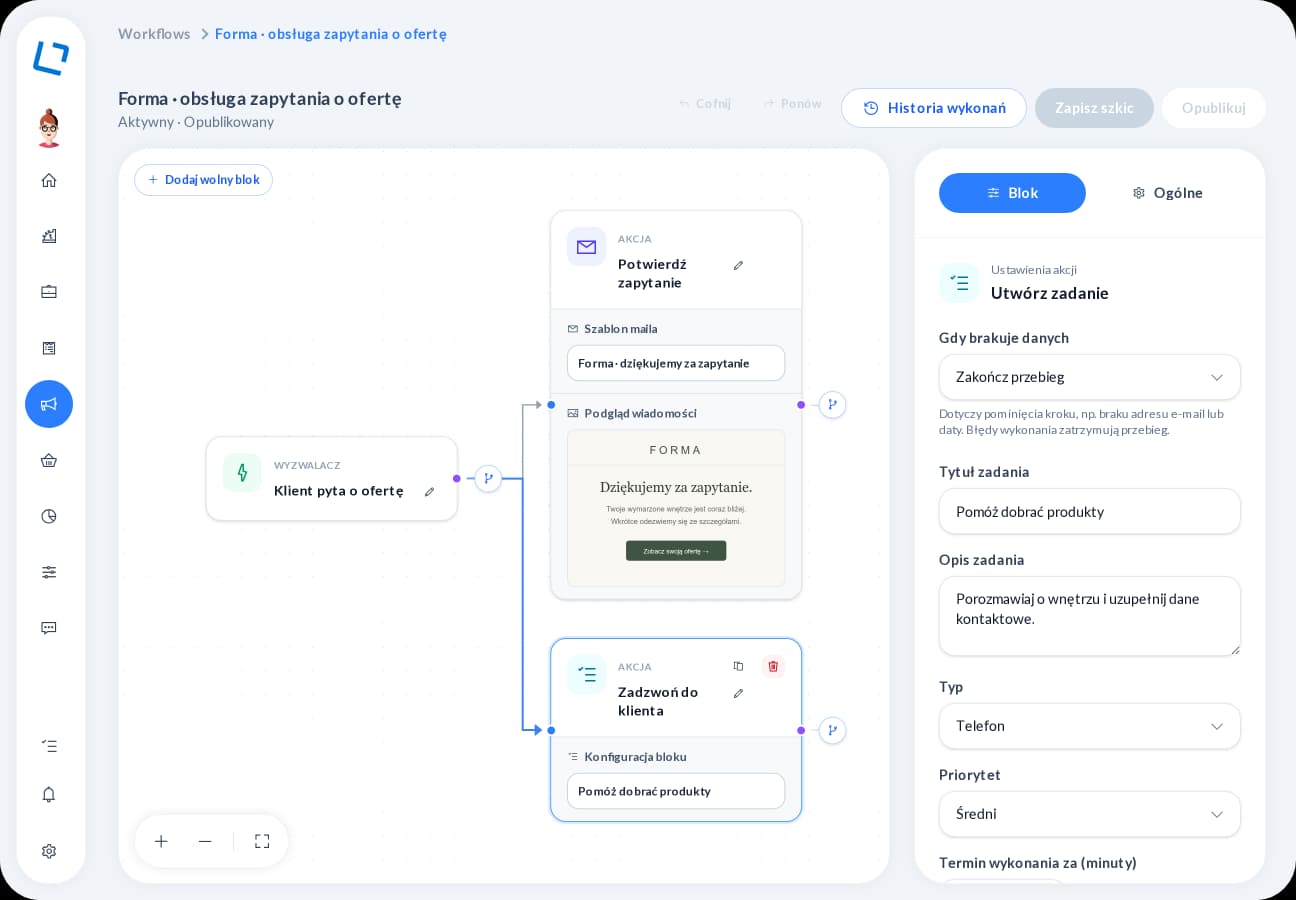
An inquiry does not have to end with a manually sent email and a manually added task. Arrange the next steps, define conditions and inspect how the published process runs in practice.

After a form submission, send a confirmation, wait for a specified time and check a condition before the next action. Create a task for the owner or change a deal stage, then inspect how the workflow ran.

  • Visual workflow editor
  • Conditions and waits
  • Step execution history
Explore automation
oroom.one visual workflow editor showing connected process steps

A clear view of sales progress

Pipelines and sales opportunities

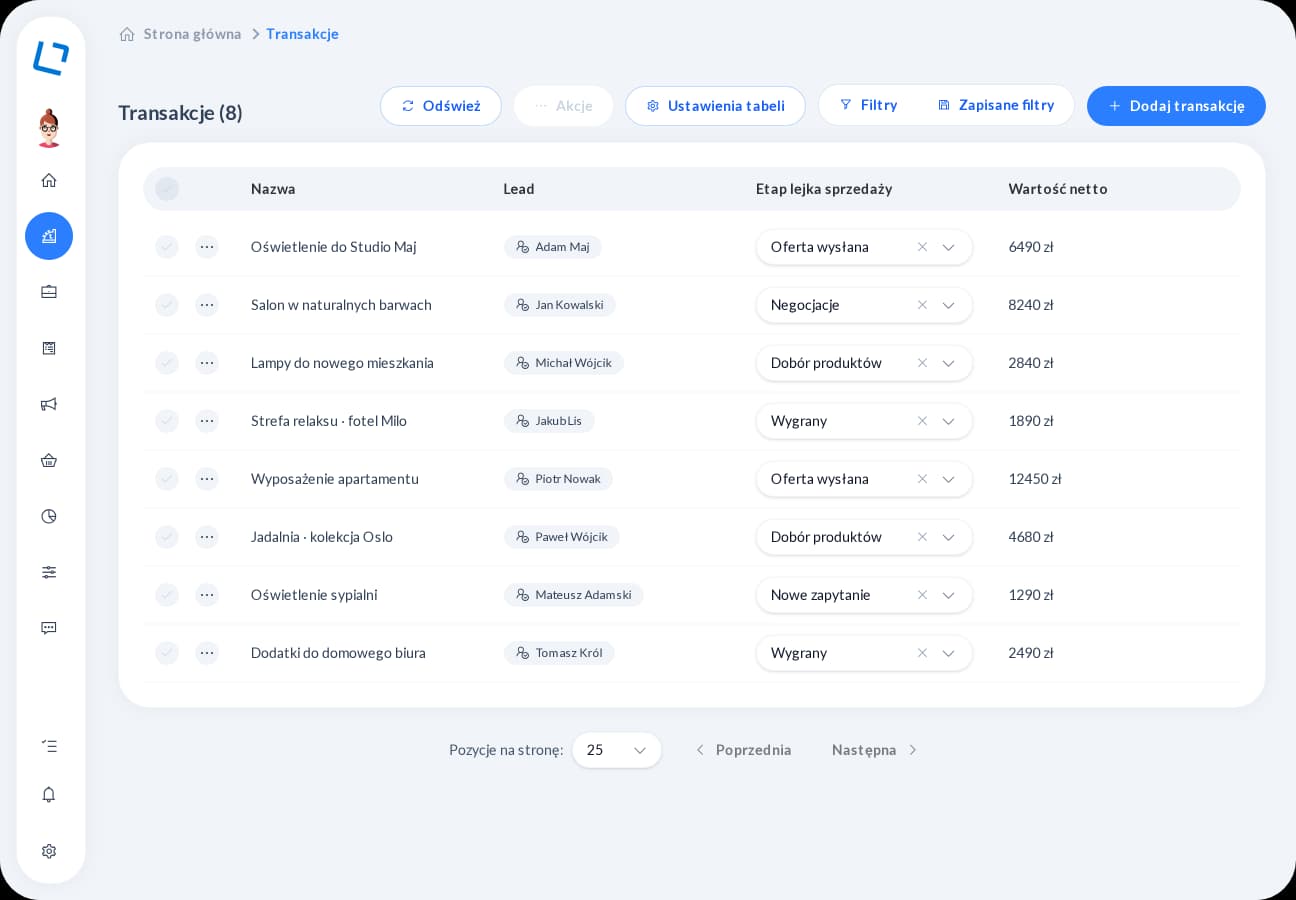
Sales are easier to manage when your team shares a view of progress. Pipelines, owners and change history help you return to the right case with a clear next action.

Choose a pipeline, assign an owner and connect the opportunity to a specific proposal. Filter the list and review stage history before contacting the customer, so you know what to confirm and which action comes next.

  • Pipelines and stages
  • Assigned deal owners
  • Stage change history
Explore sales pipelines
oroom.one deal list with customers, sales stages and proposal values

From content to campaign results

Email marketing

Your next campaign does not have to start with a blank page. Templates, personalization and the editor help you prepare content, while statistics give you a starting point for the next contact.

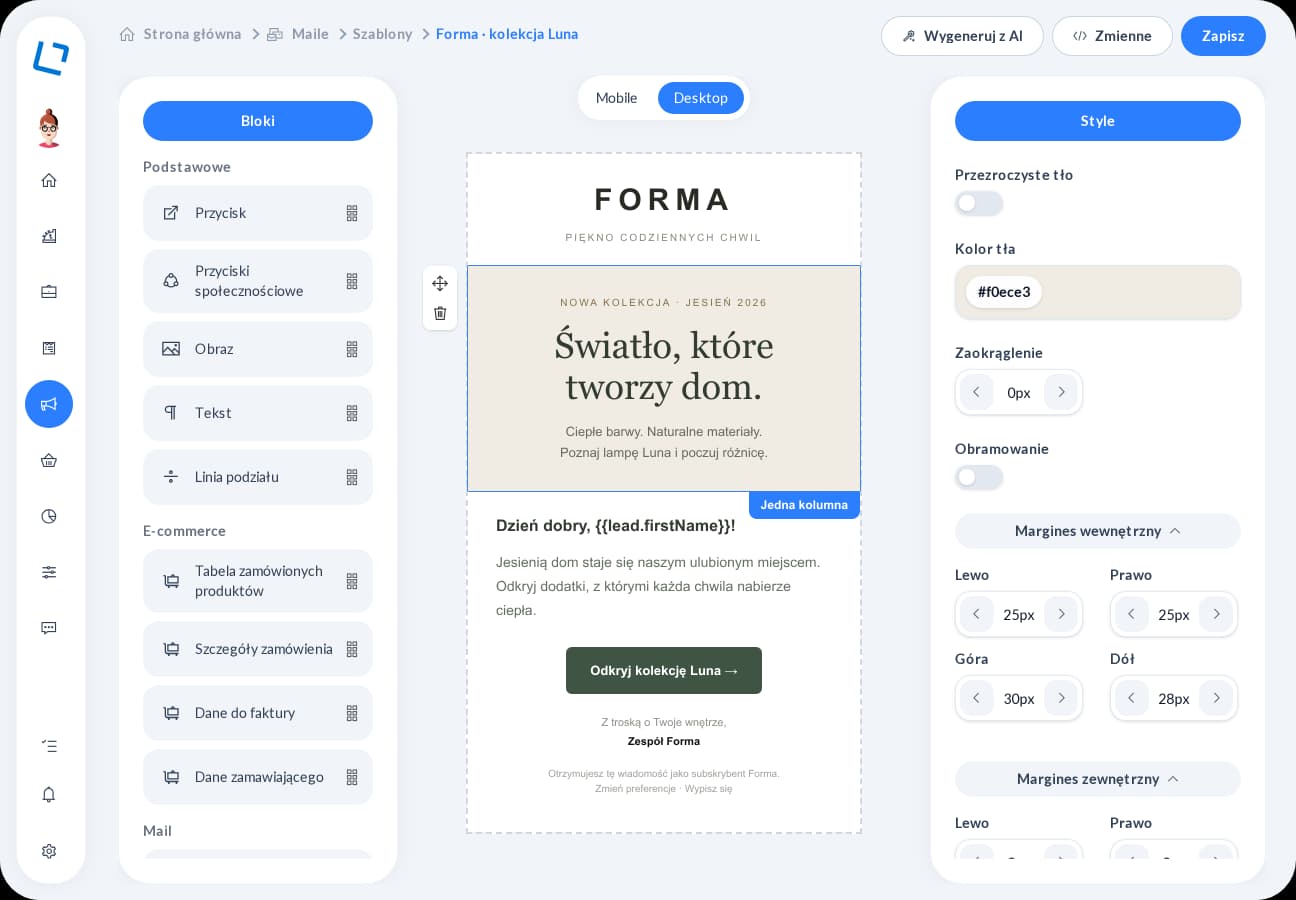
Build a message from blocks and adapt its content to your selected audience. Review a test email before the scheduled send, then compare interest in individual links to help prepare your next campaign.

  • Drag and drop
  • Personalization and templates
  • Scheduled campaign sends
Explore email marketing
oroom.one drag and drop email editor with a message template preview

Product interface in Polish with demonstration data

See how the features work together

Explore an example process that starts with a form submission. Contact details reach CRM, and a configured workflow can send a confirmation and create a task for the account owner. You define the conditions and sequence of actions that help your team take over the inquiry.

  1. A customer submits a formThey share contact details and answers.
  2. The contact reaches your CRMYour team gets shared customer context.
  3. A workflow startsThe process checks conditions and runs the next steps.
  4. A message or a taskThe customer receives an email and the owner knows what to do next.

More ways to support your process

Extend customer service with content, forms, bookings, orders and connections to other tools. Collect information before a conversation, share available times and track what happens next in the sale. Choose the areas that match how your business attracts and serves customers.

Sales and proposal analytics

“Proposal sent” tells you very little on its own. Recipient activity and sales status help you choose whom to call, what to ask and which case to handle first.

Start with unopened or expiring proposals, or those needing attention after checkout begins. Compare their status with recipient activity and suggested next actions to decide which customers to contact first.

Explore analytics

CMS and content

Your team can work on content in one place. Blocks, language versions and a file library keep materials organized from the first draft to content delivered to your website.

Build a page from blocks, select files from the library and complete content in supported languages. Categories, addresses and metadata organize the material your website retrieves through its configured CMS connection.

Explore the CMS

Forms and surveys

Preparing a conversation is easier when you already know what the customer needs. Forms collect inquiries, while surveys help you tailor questions and review responses before the next action.

Show additional questions only when earlier answers make them relevant, and mark required fields. Once responses arrive, review the results or export the data to prepare a conversation or your team’s next steps.

Explore forms and surveys

Bookings and meetings

Finding a time does not have to take several messages back and forth. Customers choose from available options, and you handle a meeting or resource booking in a process that fits it.

For a meeting, the customer chooses an available time and shares contact details. For a resource booking, they choose dates and extras and continue through pricing and checkout while your team reviews the details in the panel.

Explore bookings and meetings

Products, orders and payments

Spend less time checking prices in one place and orders in another. A shared catalog and customer-linked orders help you move from preparing a proposal to handling the sale.

Complete product prices, stock levels and descriptions, then use that information when preparing a sale. Review the customer, selected items and payment status alongside an order to answer questions about its handling.

Explore order management

Integrations and API

Store, invoicing and communication data can support service within the platform. Configured integrations help your team use the information it needs alongside the customer and in the relevant modules.

A Shoper order can reach the platform for handling, while the wFirma integration supports issuing an invoice. For each connection, we establish the data scope and synchronization direction so your team has the right information.

Explore integrations

See the platform in your business context

Tell us where your customers come from, how you prepare proposals and what happens after you send them. We will demonstrate relevant features in one scenario, from inquiry to the account owner's next action. Together, we will establish the modules, integrations and configuration you need.